About Zenexys Z:
About
Zenexys Z — Features
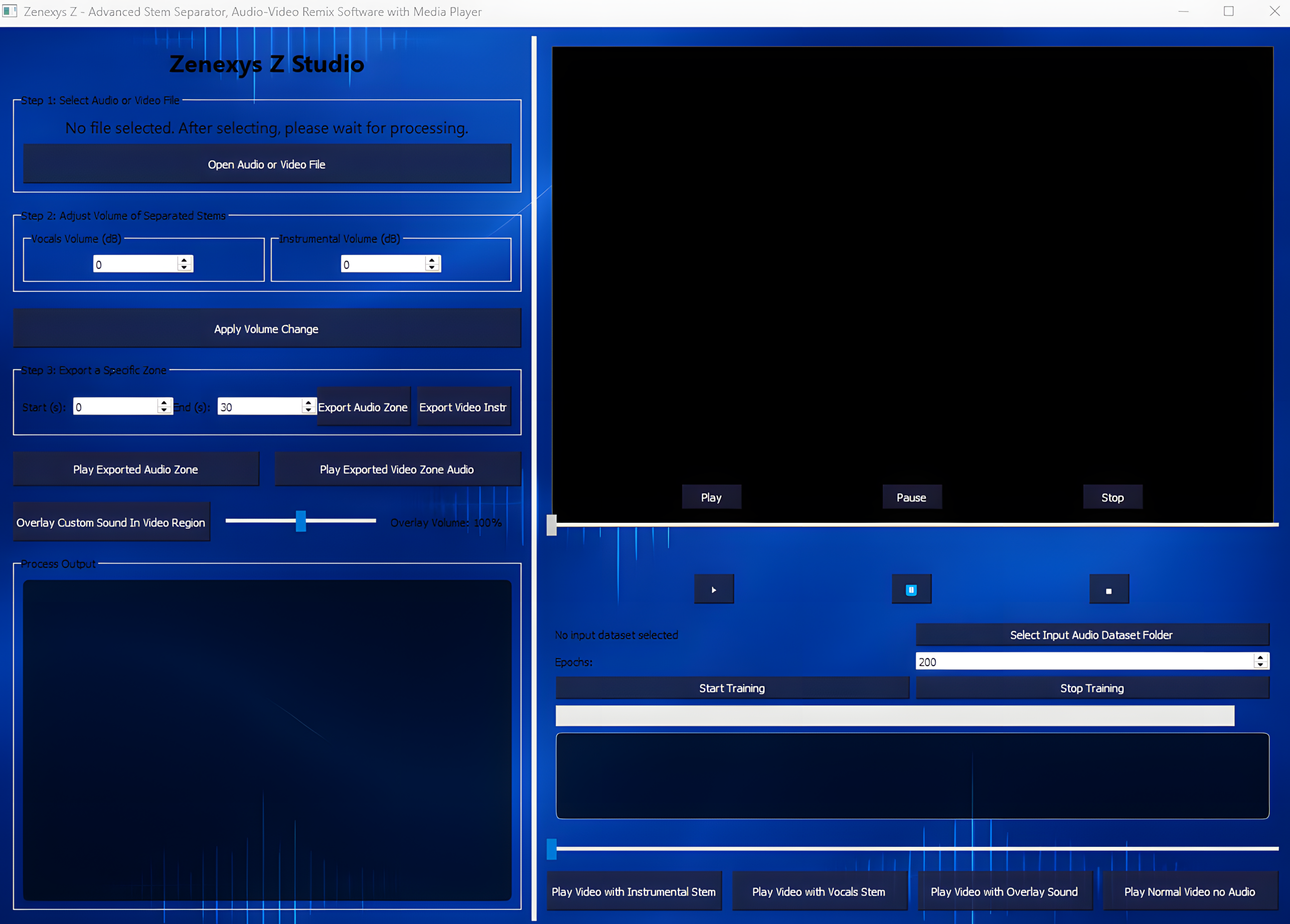
The software supports segment extraction by exporting specific audio zones from either the main audio track or combined preview, streamlining audio post-production tasks. It’s built for versatility, enabling repeated exports within a single session and ensuring smooth workflow continuity.
Highlights of Zenexys Z Technology:
At the heart of this application is the Zenexys Z engine, providing advanced multimedia processing capabilities:
Precision Audio Separation: Zenexys Z expertly disentangles audio into separate stems, letting users focus on vocals, instrumentals, or other components with clarity.
Dynamic Audio Overlay: Users can seamlessly layer isolated audio stems onto videos in real time, with easy-to-use volume control to tailor the listening experience.
Targeted Audio Zone Exporting: The engine facilitates exporting designated audio segments (“zones”), saving them efficiently for further editing or review.
Session-Aware Operations: To optimize performance and avoid conflicts, certain functions like overlay volume changes are restricted to once per session.
Versatile Playback Modes: Multiple playback configurations enable users to select exactly how they want to hear their media, whether it’s an isolated stem, an overlay, or muted video.
Zenexys Z" includes the feature of training a neural network model for audio stem separation. This capability allows the software to learn and improve audio source separation,
enhancing the quality and accuracy of splitting vocals and instrumentals in tracks
Organized Media Management: Zenexys Z automatically manages media paths and export locations, keeping files neatly organized for quick access.
Ideal for music producers, video editors, educators, and creative enthusiasts, Zenexys Z offers an accessible yet sophisticated platform that blends cutting-edge processing algorithms with user-friendly interfaces.
What Zenexys Z is Good For:
Music Producers:
Effortlessly separate vocals and instrumentals from any track to create remixes, mashups, or karaoke versions.
Video Editors:
Precisely isolate and remix audio components alongside video, combining visual and sound layers in a single tool.
Students:
Use separated audio stems for teaching music theory, production techniques, or audio analysis.
Content Creators and Podcasters:
Quickly create unique soundscapes and audio blends by remixing, overlaying, and controlling individual stems.
Audio Enthusiasts:
Experiment with detailed remixing controls including volume, overlays, and exports without needing complex software.
Anyone Working With Multimedia:
An all-in-one platform for powerful audio-video editing, stem separation, remixing, and playback.